
You finish a job, put the tools away, and the calls slow down just as November approaches. **In October, post the work customers can book for late fall, add a real job photo with two sentences about it, and request a Google review after every completed job.** These posts help turn people who already find your profile into callers; posting alone does not guarantee calls.
A repeatable schedule can fit into 15 to 30 minutes, three evenings a week. Keep your offers and availability accurate, and make each post easy to act on.
The short answer: post November's jobs in October, and back them up with proof
Use Google Business Profile posts to promote late-fall work, show one real job at a time, and ask every customer for a review when the job is done. Make “Book it now” posts for gutter cleaning after leaves drop, pre-winter repair lists, Thanksgiving-ready cleaning and punch lists, and ladder jobs such as hanging lights.
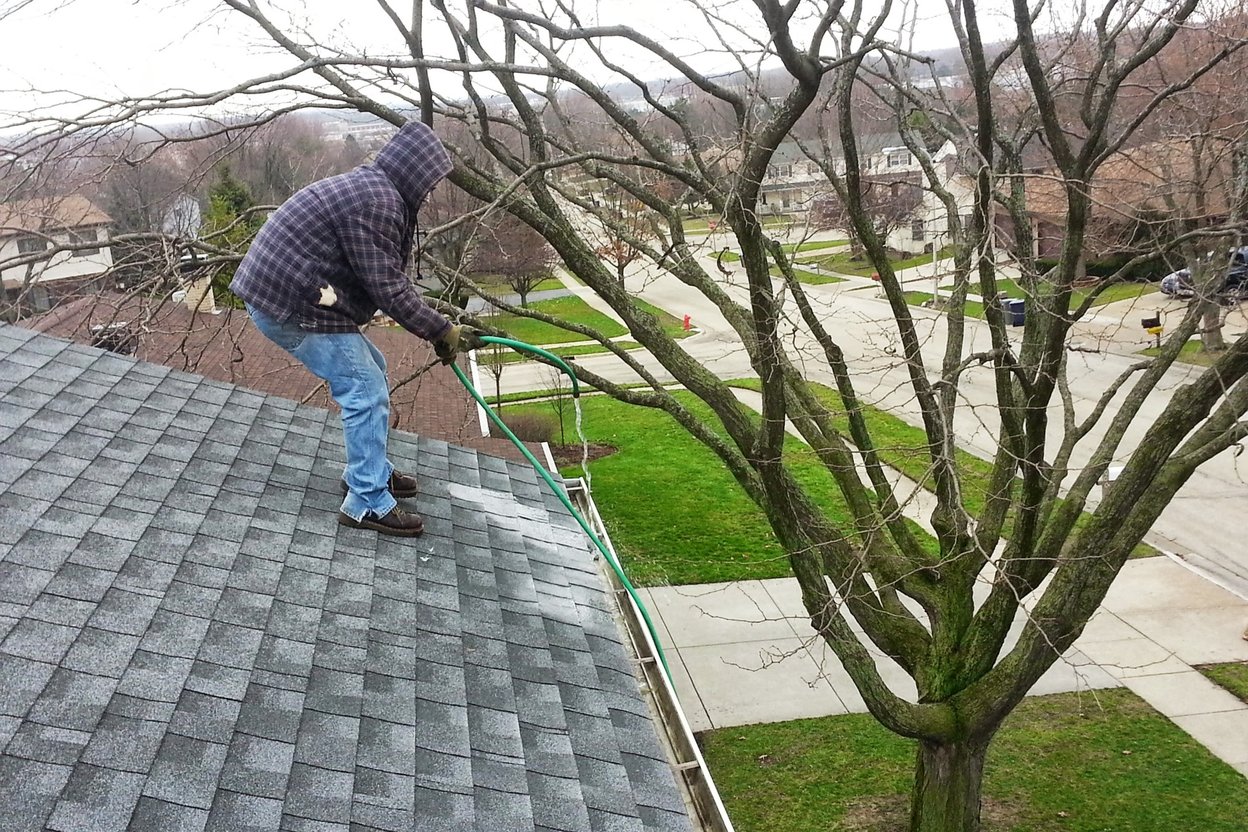
For proof, use one real job photo and two sentences: what you did and what the customer needed. A specific example reads plainly: “Cleared leaves from the gutters and checked the downspouts. The homeowner wanted water to drain freely before winter weather.”
Send a review request after every completed job, whether or not the customer praised the work. Google does not say posts help rankings, and BrightLocal has reported that posts are not thought to be a ranking factor. Treat posts as a way to give people who already see your profile a clear reason to call.
Use Google’s scheduling and repeat options to prepare several weeks of posts in one sitting. Keep dates and service details current so a scheduled offer does not promise work you cannot take.
Your November calendar
Plan October posts around the dates customers can see coming, then match the work to your local weather. Halloween falls on Saturday, October 31. Clocks fall back on Sunday, November 1, bringing darkness by supper. Veterans Day is Wednesday, November 11, and Thanksgiving is Thursday, November 26; you can verify the federal holiday dates on the 2026 OPM calendar.
Heating searches rise from October through January, while frozen-pipe searches peak in January. ENERGY STAR advises homeowners to get heating systems checked in fall, before contractors get busy once winter arrives, with steps in its heating and cooling maintenance checklist. For your own services, promote work you offer and have room to schedule.
For gutters, build a post around cleaning after leaves are down and before winter weather. Holiday light hanging gives you a timely ladder-service post: the CPSC says nearly half of holiday-decorating injuries involve falls, a clear reason for customers to let you handle the ladder work. Its holiday home-safety guidance offers details you can share.
Match the calendar to your service area. Florida and Minnesota do not move through fall weather on the same schedule.
How Google posts work in 2026
Google Business Profile has three post types, Update, Offer, and Event, and posts appear on Search and Maps. You can schedule posts and set them to repeat; each stays visible for six months before Google archives it. Advice saying posts expire after seven days is outdated because that expiration ended in 2021.
Choose the type that fits the message. Use an Update for a job photo or service note, an Offer for a dated promotion, and an Event for a scheduled activity. An Offer requires a title and dates. Keep phone numbers out of post text because a post that includes one can be rejected.
Google reviews every post, and its status appears as Live, Pending, or Not approved. Use a JPG or PNG photo that is in focus and close to the recommended 720 × 720 pixels, without heavy filters. Videos can run up to 30 seconds. New uploads can take 24 to 48 hours to appear, so schedule seasonal posts ahead of the date you want customers to see them.
Four weeks of October posts, trade by trade
Set up four posts, one for each October week: a proof post, a dated seasonal Offer, a holiday-service post, and a practical “here’s how I work” update. Keep every example tied to work you offer and availability you can honor.
- Week 1, proof: Post a before-and-after photo from a real job with two sentences explaining the work.
- Week 2, Offer: Give the promotion an end date, such as “Book a pre-Thanksgiving punch list by Nov. 15.”
- Week 3, Event or Update: Post about holiday light hanging or gutter cleanouts.
- Week 4, how you work: State your response time, service area, and the work you do not take.
Use a line that fits your trade: “Handyman: Book a pre-winter repair list.” “Siding and gutters: Schedule a gutter cleanout after the leaves drop.” “Flooring: Ask about availability for your flooring project; confirm the install date before you book.” “Cleaner: Reserve a Thanksgiving deep clean.” “Remodeler: Ask about a small guest-ready refresh.”
The routine can stay within 15 to 30 minutes, three evenings a week. Monday, pick photos from the week. Wednesday, write and schedule one post. Friday, send review links to the jobs finished that week.
The review ask that rides along with every post
Ask for a Google review when each job ends, and make the request easy by sending the review link by text that day. On desktop, open Read reviews, then choose Get more reviews to find your review link or QR code.
Keep the request neutral and send it to every customer. Google bans incentives for reviews. The FTC rule, in effect since October 21, 2024, bans incentives that depend on a positive review; the FTC’s announcement of the rule explains the prohibition. The FTC also warns that asking only customers you expect to be happy could violate the FTC Act; its review rule questions and answers spell out the concern.
BrightLocal’s 2026 survey found that most consumers care about reviews from the last three months, nearly half would not use a business with fewer than 20 reviews, and most expect the owner to reply. Respond to every review in your own words, including short or critical ones.
Getting named by AI starts with the same profile
Keep your business details accurate and your reviews current as more customers use AI tools for local recommendations. BrightLocal’s 2026 survey found the share using ChatGPT and other AI tools for local recommendations rose from 6% to 45%, while Google’s share for reading reviews fell from 83% to 71%.
Check your hours, services, and service area, then keep asking every customer for a review. Jobber’s data shows that 65% of home service businesses do not list hours on their website, so make sure your own hours are easy to find.
No one has shown that Google Business Profile posts directly feed ChatGPT or Google AI. Treat accurate listing details and a steady review routine as good housekeeping, not a promise of AI recommendations.