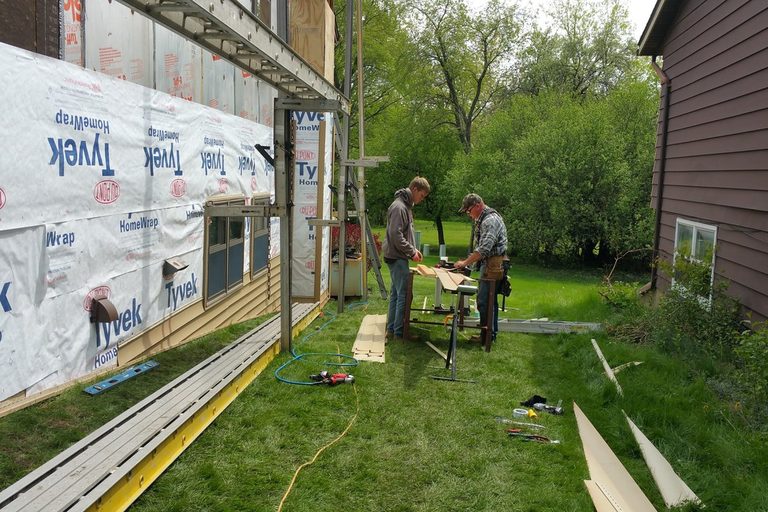


You send a signed quote with every detail, then the crew arrives with instructions that leave out key information. A $5,000 home renovation job had to be restarted after AI summarized the work order incorrectly for the crew.
The incident shows how a polished summary can drift from the document the customer approved. If you use AI to clean up quotes or job notes, the signed version needs to stay in control.
What actually happened
A handyman company’s AI summary gave the field crew instructions that didn’t match the homeowner’s signed quote. On October 1, 2026, content creator Drift0r posted on X that a “$5k home renovation project” had been “messed up by AI.”
He said he gave the details to someone at a handyman company, which used AI to summarize them for the crew. The AI “hallucinated some details & omitted others,” so the crew arrived without the right tools or information. Drift0r said his signed quote had everything right, while the instructions the crew showed him were “completely different.”
Later, he said the AI had given the crew “two sentence[s] of info,” he hadn’t paid, and “the whole job has to be restarted.” His post drew more than 115,000 views.
This is one homeowner’s account. The company wasn’t named, and the account hasn’t been confirmed by the company or by a news report. Strictly speaking, the AI summarized the quote into crew instructions; it didn’t change the signed contract. For the worker arriving at the property, the result was the same: the instructions didn’t match what the customer signed.
The failure was a crew receiving a copy of a copy, with nobody checking it against the original.
Why AI does this, even when it sounds sure
AI summaries sometimes add details that weren’t in the original and drop details that were. That happens because shortening or polishing text requires the system to rewrite it.
In a February 2025 test by the BBC, 19% of AI answers citing BBC articles added factual errors, including wrong numbers and dates. Thirteen percent of quotes were changed or made up. In a larger EBU/BBC study from October 2025, 45% of answers had at least one significant problem, and 20% had major accuracy problems, including made-up details.
Vectara’s leaderboard tests AI models on summaries of documents they’re given. Even the top model added unsupported content to 1.8% of summaries; many popular models fell in the 5% to 12% range.
Those tests cover news and articles, not trade work orders. The same summarizing process is at work in both. On a work order with 30 details, even a small error rate can leave a crew with the wrong information or tools.
The AI button is already in your software
AI writing tools are built into software many trade businesses already use, making it easy to turn detailed job information into shorter text.
Jobber has a “Rewrite” button for quote line-item descriptions and client messages. You can choose tones such as Cheerful, Casual, or Professional, or ask for a shorter version.
Housecall Pro’s “Write it for me” feature drafts a Summary of Work from estimate or job line items. That summary is intended for employees in the field or customers, and it appears on the invoice by default. Housecall Pro also builds in a step to review or edit the draft before saving.
ServiceTitan’s Titan Intelligence turns a technician’s work logs into a work summary for work order documents and invoices. It also includes a review or edit step before saving.
These features are useful when they help you draft clearer paperwork. The risk comes when the shorter version becomes the crew’s working instructions without a check against the details the customer approved. Pay particular attention after selecting “Shorter,” because that instruction asks the tool to remove content.
What the law says about the paper
The signed quote or contract records the agreed scope, and some states require written, signed change orders when that scope or price changes.
In California, home improvement jobs over $500 need a written contract. A change to scope or price requires a written change order signed by both sides before the changed work starts. The order must state the work, the cost added or deducted, and the effect on payments. You can check the California contract requirements and the Contractors State License Board’s explanation of home improvement contracts.
In Pennsylvania, a home improvement contract over $500 isn’t enforceable against the homeowner unless it’s written and signed. Its specifications “cannot be changed without a written change order signed by the owner and the contractor.” See the state’s home improvement consumer protection law and the Pennsylvania Attorney General’s FAQs.
In Massachusetts, jobs over $1,000 require a written contract with a detailed description of the work and materials, signed by everyone. Work can’t start until the contract is signed and the owner has a copy. The requirement is set out in Massachusetts General Laws, Chapter 142A, Section 2.
Nationwide, the FTC Cooling-Off Rule gives buyers three business days to cancel certain sales of $25 or more made in their home. State rules vary, so check your contractor board or attorney general. If AI changes a document the customer signs, the customer signs the AI’s version. If AI changes a document only the crew sees, the crew is working from instructions the customer never approved.
The apprentice rules: keep AI on a short leash
Keep the signed quote as the master copy, and make AI check the paperwork without letting it take control of the agreed details.
- Send the crew the signed quote. Give them the original document or a photo of it, not an AI summary.
- You supply the numbers. Measurements, quantities, model numbers, prices, and dates should come from you and get checked by you.
- Use AI as a checker. Ask it to compare the work order with the signed quote and list anything missing or different. Some remodelers already use AI to flag mismatches between proposals and plan sets.
- Review every rewrite line by line. If you tap “Rewrite” or “Write it for me,” compare the draft against the original before saving or sending it. Check especially carefully after selecting “Shorter.”
- Check the edit history. Jobber’s quote history shows before-and-after values for edited fields, giving you a way to review what changed.
- Get a signed change order for scope or price changes. The customer should sign it before the changed work begins.
- Get the customer’s signature on the scope. Jobber, for example, can collect a signature on a quote.
AI is a terrible master but a great servant. The owner signs, the owner checks, and the owner stays in charge.