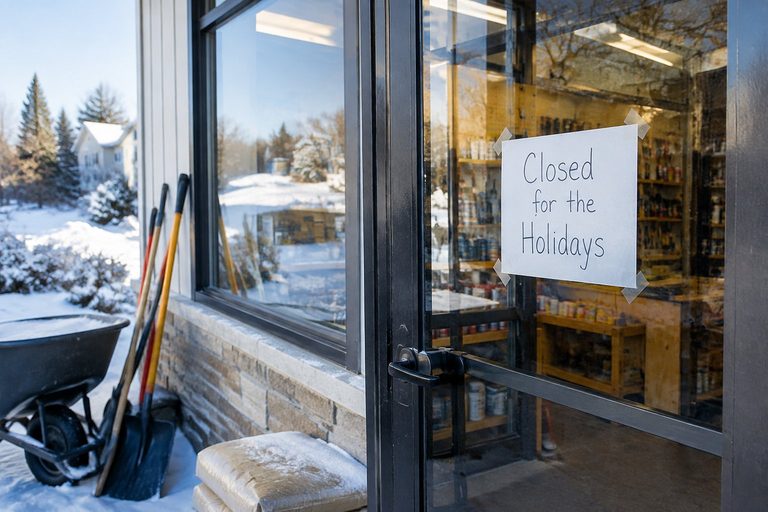


You're about to take the long weekend. The truck's parked, the turkey's thawing, and somewhere a homeowner has water coming through a window frame. They call you. It rings four times, hits the same voicemail you recorded three years ago, and they hang up and call the next name on the list. You can fix that in about twenty minutes, spread over three evenings: update your Google hours, change your greeting, and decide where your calls go while you're gone.
Why set the phone now, and the 20-minute answer
Thanksgiving is Thursday, November 26, 2026. Today is October 9, so you have weeks, not hours. That's the point. If you do this now, you won't be fumbling with phone settings in the driveway on Wednesday night.
Here's why it's worth the bother. In one 2025 survey of 1,000 U.S. consumers, only 42% said they leave a voicemail when a business doesn't answer. That means most people just hang up. The same survey found 21% said they'd call another business right away. Holiday week makes this worse, because people are home, they're looking at the house, and the leak or the loose board they've been ignoring finally bothers them enough to call.
I took every call myself for years. Customers loved it, and it wore me down. You don't need to answer every call on Thanksgiving. What you need is for the caller to hear something useful instead of dead air.
So here are three small jobs, one per evening:
- Set special hours on your Google Business Profile.
- Record a holiday voicemail greeting.
- Decide where calls go: nowhere, to someone else, or only the ones you miss.
Evening one: Google special hours
Start with Google, because that's where a lot of customers look before they ever call. If your listing says "Open" on Thanksgiving and nobody picks up, that makes you look worse than just being closed.
Here's how, from Google's own help page:
- Open your Business Profile and tap Edit profile.
- Go to the Hours tab.
- Next to Special hours, tap the pencil icon.
- Pick the date.
- Mark it Closed, or type in the short hours you'll actually keep.
- Save.
Do this for every day you're off or running short hours. If you're closed Thursday and Friday, set both. If you'll take calls Saturday morning, enter that.
There's a limit worth knowing. Google says special hours are for changed hours or closures of up to 6 days in a row. If you're shutting down longer than that, Google wants you to mark the business "temporarily closed" instead. Most of us are taking two to four days at Thanksgiving, so special hours will do the job.
Google also recommends confirming your hours for official holidays even when they're the same as normal. So if you're working the Wednesday before Thanksgiving like any other day, set that date anyway. A listing that's been confirmed for the holiday tells a customer you're paying attention.
The whole thing takes about five minutes, and the customer sees it before they ever dial.
Evening two: the voicemail greeting
Once the listing tells people when you're closed, your greeting should tell them what to do about it.
Keep it to about 20 seconds. Say four things:
- Who they reached. Your business name.
- When you're closed. The actual dates.
- When you're back. A real day, like "Monday, November 30." Avoid "after the holiday."
- What to do now. Leave your name, address and what the job is, or text a photo.
Something like this, in your own words:
"You've reached [business name]. We're closed Thursday, November 26, through Sunday, November 29, for Thanksgiving. I'm back Monday the 30th and I'll return every call that day. Leave your name, the address and what's going on, or text a photo of the problem to this number. Happy Thanksgiving."
The photo line matters. A picture of the rotted trim or the cracked tile tells you more than a minute of voicemail does. You can look at it Monday with coffee and call back already knowing what you're dealing with.
Give a callback day you'll actually keep. If you say Monday, call Monday. Customers remember a greeting that turned out to be true.
If you're still using your personal cell for business, consider a separate line. Google Voice gives you a free business number and lets you set rules. Calls from chosen contacts can ring through to linked phones or go to voicemail, and you can play a custom greeting to the contacts you pick. One catch: you build those rules on a computer under Settings > Calls > Custom call forwarding. The phone app only shows them.
Evening three: where the calls go
Now the real decision. You have three choices, and none of them is wrong.
(a) Do nothing. Let the greeting handle it. If you truly want the weekend off, this is fine. You did evenings one and two, so callers see accurate hours and hear a clear message. Plenty of owners stop here.
(b) Forward every call to someone else. If your spouse, partner or a helper is willing to answer and take down names and addresses, send your calls to their phone. On most iPhones, go to Settings > Phone > Call Forwarding (on some newer versions it's under Settings > Apps > Phone), turn it on, tap Forward To and enter their number. Be aware this sends every call, so your phone won't ring at all.
**(c) Forward only the calls you don't answer.** This is the middle ground. Your phone rings first, and if you let it go, it rolls to the other person. The iPhone setting can't do this. You use a code from your carrier. Verizon's, for example:
- \*71 plus the number forwards only when you're busy or don't answer.
- \*72 plus the number forwards all calls.
- \*73 turns forwarding off.
AT&T, T-Mobile and the smaller carriers use their own codes, so check with yours. Forwarding is a carrier feature, so set it up while you have a cell signal. Some lines need the carrier to switch it on for you.
A few Verizon notes worth knowing: forwarding has no monthly fee on current plans, but forwarded calls use airtime, and it only forwards to U.S. numbers. If you get a busy signal after turning it on, you probably typed the forwarding number wrong.
The big warning: forwarding stays on until you turn it off. Forget it, and Tuesday's calls are ringing your brother-in-law.
Test it and turn it back on
Once all three jobs are done, check them. It takes five minutes.
- Call your own number from another phone. Let it ring out. Do you hear the new greeting? If you set up forwarding, did the right phone ring?
- Search your business on Google. Look at the listing the way a customer would. Do Thanksgiving and the days around it show the hours you set?
- Put a reminder on your calendar for the day you reopen, whether that's Friday or Monday. Write exactly what to do: turn off forwarding (\*73 on Verizon, or switch it off in iPhone settings), put your regular greeting back, and listen to anything that came in.
That reminder is the step people skip, and then the holiday greeting is still playing in mid-December.
This is the kind of thing I mean when I say AI is a terrible master but a great servant, and plain old phone settings count too. You set them up once, on your own terms, and they do the boring work while you're at the table. The customer gets an answer, you get Thursday off, and on Monday you're the one who decides who to call back first.
Sources (8)
- U.S. Office of Personnel Management: Federal Holidays
- Carly: Missed Call Statistics (summarizing a 2025 CallRail survey)
- Google Business Profile Help: Set special hours
- Google Voice Help: Custom call rules
- Digital Citizen: How to forward calls on iPhone
- iPhone Life: iPhone call forwarding
- Trusted Reviews: Set up and remove call forwarding on your iPhone
- Verizon: Call forwarding, everything you need to know
Photo by Media_Visuals on Pixabay.