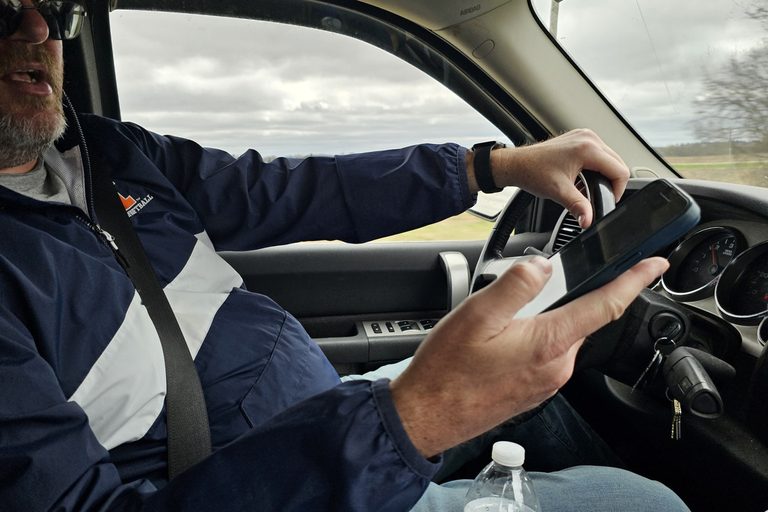


You're eating lunch in the truck and a Google email comes in: your Local Services Ads, the "Google Guaranteed" boxes at the top of search, are moving into something called Performance Max. You didn't ask for it, and the email doesn't mention a way to say no. The good news is that you still pay per lead and your ads still show in the same places. What changes is the dashboard, how you bid and how you budget. If you spend about an hour before the move and leave it alone for two weeks after, you'll be fine. Here's how.
What's happening, in plain words
Google is moving existing Local Services Ads (LSA) into the main Google Ads website. In Google's words, they become "Performance Max campaigns with pay-per-lead goals." The name is new. The way you pay isn't.
The move is happening in phases. Phase 1 started in August 2026 with some U.S. home and storefront service businesses, such as plumbing, HVAC, electrical, pest control and moving. Phase 2 comes in late 2026. It covers service-area businesses without a storefront, which is most of us who work out of a truck, plus accounts with custom bidding or booking setups. Accounts outside the U.S. and the remaining categories follow in 2027.
Google's help page doesn't describe any way to opt out. The closest thing is pausing your campaign, and that stops your leads until you turn it back on. Thrive Agency puts it bluntly: the move is mandatory, with no opt-out.
You still pay per lead, not per click. Your ads still show on Google Search and Maps. If you're starting fresh, new pay-per-lead campaigns are still set up at g.co/localservices for now, not inside Google Ads.
What stays the same and what changes
What stays the same:
- Where you show up. The campaigns still run without keywords and appear only on Google Search and Maps, in the same spots.
- How you're billed. You pay for valid leads (calls, messages and bookings), not clicks.
- Your lead history. Past leads come with you, including contact details, messages and call recordings.
- Your verification. It carries over, and you don't have to re-verify your insurance and license. The Google Verified badge carries over automatically.
What changes:
- The dashboard goes away. The old LSA dashboard sends you to Google Ads, and your leads live in Lead Manager under Goals > Conversions > Leads.
- Manual bidding goes away. You can't set a maximum cost per lead anymore. Your separate targets for each service are replaced by one "Target CPA" (target cost per lead) for the whole campaign. If you want separate targets, you need a separate campaign for each service.
- Weekly budgets become daily. Google takes your weekly budget and divides it by 7. Your monthly spend is capped at that daily number times 30.4, so some days can run higher than the daily figure as long as the month evens out.
- Old performance reports don't carry over. Impressions, clicks and spend history stay behind.
- The BBB callout is removed. Google suggests using at least six other structured callouts instead.
The lost reports are the one change you can actually do something about ahead of time, so that's where to start.
Before your move: do this first
Watch for the email. Your account administrator gets an email 14 days before the move and a reminder 7 days before. A banner also shows up in the LSA dashboard. If you're a Phase 2 business and haven't heard anything, there's no firm date yet, so keep an eye on your inbox.
Download your reports. Since your old performance numbers don't come with you, export everything you can. Take screenshots of anything you can't export. That history is the only way you'll know later whether the new setup costs you more or less per lead.
Check your Google Business Profile. Your business name, address and hours sync from your Business Profile, so make sure they're correct and that the profile is linked to your Google Ads account. Look hard at your hours, because they matter for the missed-call charge further down. One warning: a big change to your name or address can trigger a 24–48 hour review that may pause your campaign. If you were planning to rebrand or move your shop, wait until things settle.
Decide whether to split your services. If you do jobs that pay very differently, like a full siding job and a small repair, separate campaigns let you set a different target cost for each. The trade-off is that each campaign gets less data to learn from. If you don't get many leads, keeping everything in one campaign may work better. Whether one shared target works well for mixed services is still an open question.
If you get stuck, Google's migration support line is +1-844-205-0011, Monday through Friday, 9 AM to 8 PM Eastern.
After your move: the first two weeks
When the move goes through, check these the same day:
- Daily budget (did your weekly number divide out the way you expected?)
- Target CPA
- Service categories and service areas
- Ad schedule
- The phone number that gets your call and message leads. You can change it inside Google Ads.
- Photos and callouts, including replacing the BBB callout
Then leave it alone. Google says to allow up to two weeks for performance to settle. If you keep changing the budget and target in the first few days, the system never gets a fair read, and you won't either.
Learn where your leads are now: Lead Manager, under Goals > Conversions > Leads. Lead email alerts are on by default for every user, and at least one user has to stay opted in. You'll find them under Admin > Notifications. Make sure the person who actually calls customers back is the one getting them.
The missed-call charge that started October 1
This one matters more than the dashboard. Starting October 1, 2026, a missed call during your business hours can be charged as a valid lead if the caller stays on the line more than 20 seconds, "with a few exceptions," according to PPC Land, which reported on an email from the Local Services Ads team. Google has said the change is meant to cut down on spam and robocalls.
A few details have been reported:
- If your phone menu makes callers press a key, the 20 seconds start when they press it. No key press means no charge.
- Later calls from the same person can also be charged if they meet the valid-lead rules.
- Invoca, a company that sells call-handling software, says text leads are charged as soon as they're sent.
Some of this is still being worked out, including how voicemail is handled and how you'd dispute a charge. Check your own account and Google's current help pages instead of relying on what anyone tells you, me included.
What you can control is this: your posted hours should match the hours someone can actually pick up the phone. If you're on a roof until dark and nobody's covering the phone, posting 7 to 7 means paying for calls you never answer. Fall is busy, with people trying to get work done before family shows up for Thanksgiving, and busy is exactly when calls get missed. Either get the phone covered or shorten your posted hours.
My take: servant, not master
I took every call myself for years in siding and handyman work. The customers loved it, and it burned me out. So I understand the appeal of letting Google's system run on its own. Here's why I wouldn't.
When Google reports "conversions," it's counting leads you were charged for, not jobs you booked. Only you know which leads turned into work. Keep a simple log of every lead, whether you booked it and what the job paid. Ten minutes on a Sunday night is enough.
Keep your Google Business Profile current, since it now feeds your ads directly, and keep asking happy customers for reviews. Let the machine do the busywork, and you make the decisions. AI is a terrible master, but a great servant.
Sources (5)
- Google Ads Help: Local Services Ads migration to Google Ads
- Search Engine Journal: Google is bringing Local Services Ads into Google Ads (July 20, 2026)
- Thrive Agency: How will Google's Local Services Ads migration to Performance Max work (Sept 17, 2026)
- Invoca: Google's Local Services Ads move to Performance Max (Sept 15, 2026)
- PPC Land: Google charges Local Services advertisers for missed calls over 20 seconds (Aug 25, 2026)